
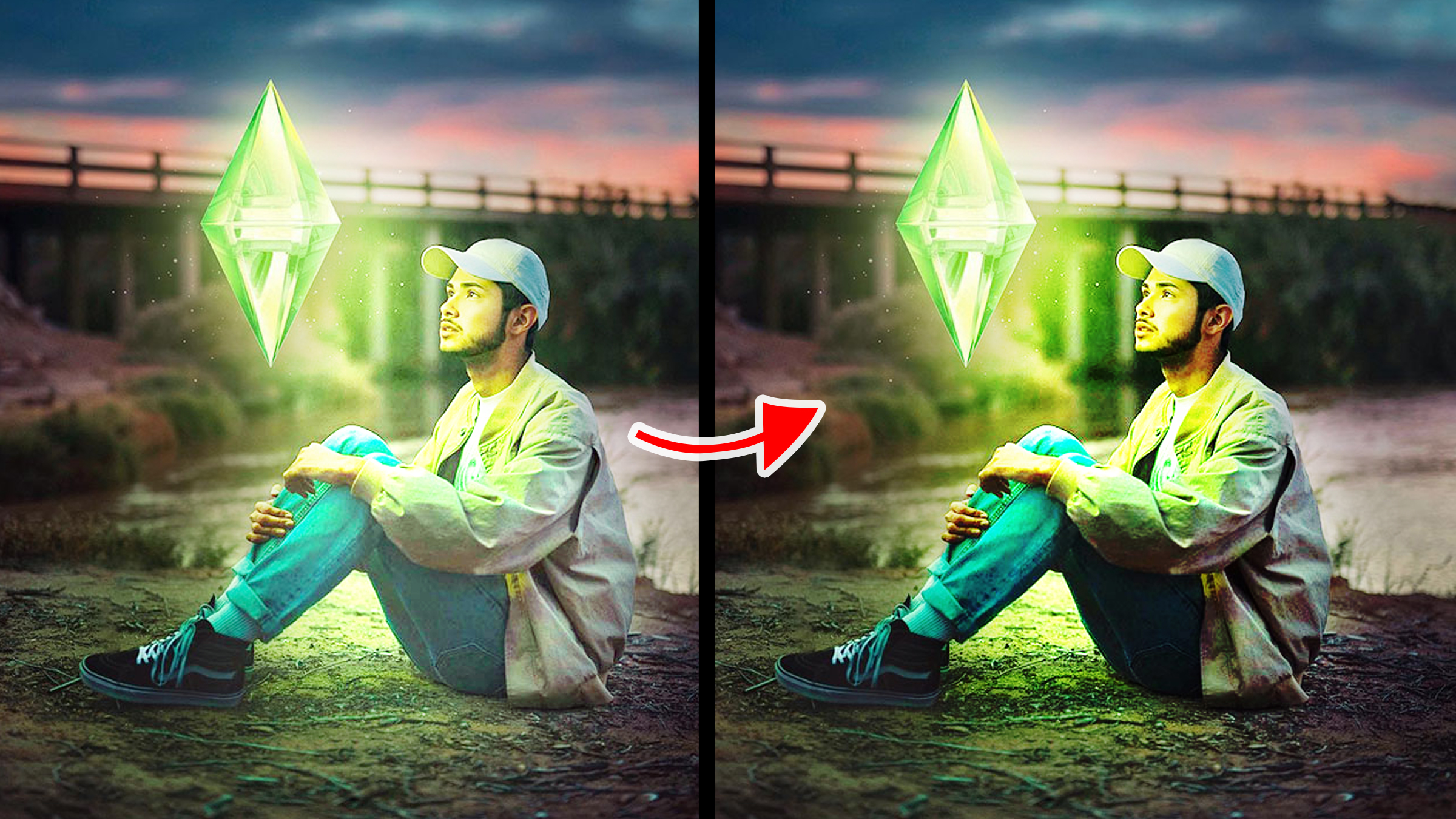
Blend modes, also known as blending modes are use to determine how colors from two or more layers interact and blend together to create a composite image. in this Article, you will learn about Adobe Photoshop “HARD LIGHT” blend mode and what it is used for, with image to practice with. Download this PSD file to follow along this course.
Download: https://drive.google.com/file/d/1flFXxPCRMfoEYy-4QwMJBbe8nRPiixAt/view?usp=drive_link
How to Open PSD file
Double click on the downloaded PSD file, if you've installed Photoshop, it will automatically open.
Hard Light Blend Mode: Use primarily to create hard lighting or hard shadow effect on surfaces or subject.
Practice 01:
1. Turn on the “Light” adjustment layer
2. Change it blend mode to “Hard Light”
What will happen is, it makes the light look realistic, but extremely brightens the subject on the underlying layer.
Other facts about the “Hard Light” blend mode
1. Hard Light and Overlay blend mode reacts exactly the same on layers with the same image
2. Hard Light acts differently from the “Overlay” blend mode when working :with adjustment layer
Click Here to Learn About Other Blend Modes
Photoshop Courses | Top Creativites
Comments (0)